
Wavebox is the revolutionary and feature-rich Chromium browser built for productive working across Google Workspace, Microsoft Teams, ClickUp, Trello, Asana, Airtable, Slack, Xero, Webflow and every other web app you use to get work done. It's also great for organising your Social Media and personal tasks on your to-do list and enjoying Entertainment Apps. You can now save 35% off Wavebox annual subscriptions with our Wavebox Coupon Code . Leave traditional Browsers behind and get work done faster with the #1 browser for busy professionals and teams today!

5Updated 21 Aug 20261 offers10 integrations
Best for: Agencies, consultants, founders and support teams who work across many web apps and multiple client or team accounts.
- Pricing
- From about $99 per user per year
- Free trial
- Free trial available
- Platforms
- Windows, macOS, Linux
- Mobile apps
- None
- AI features
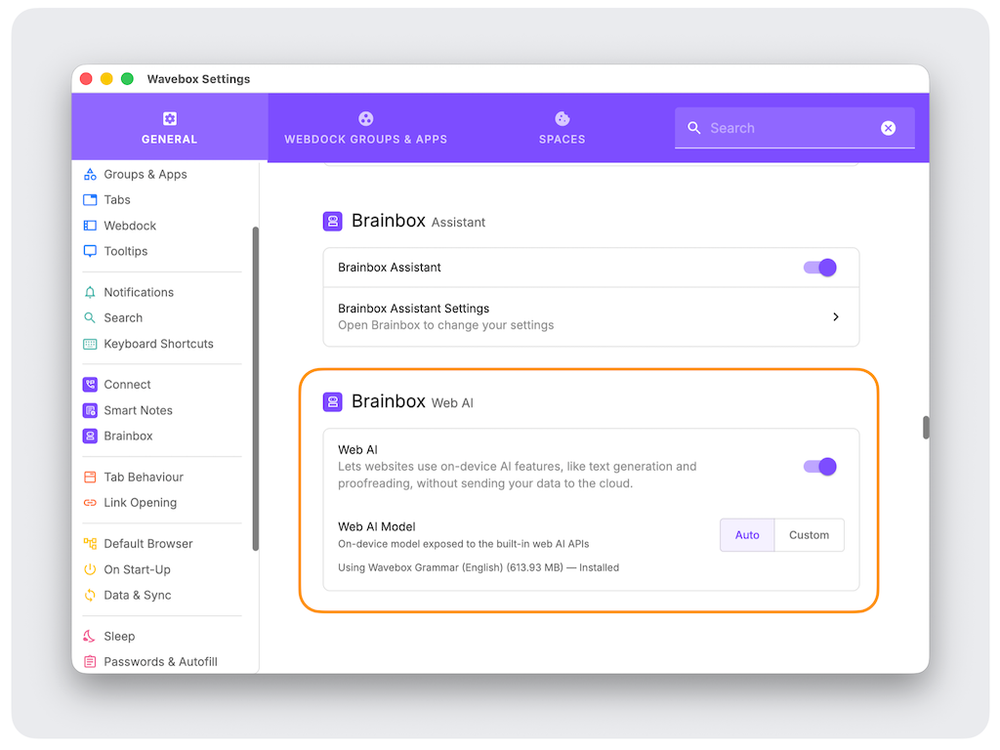
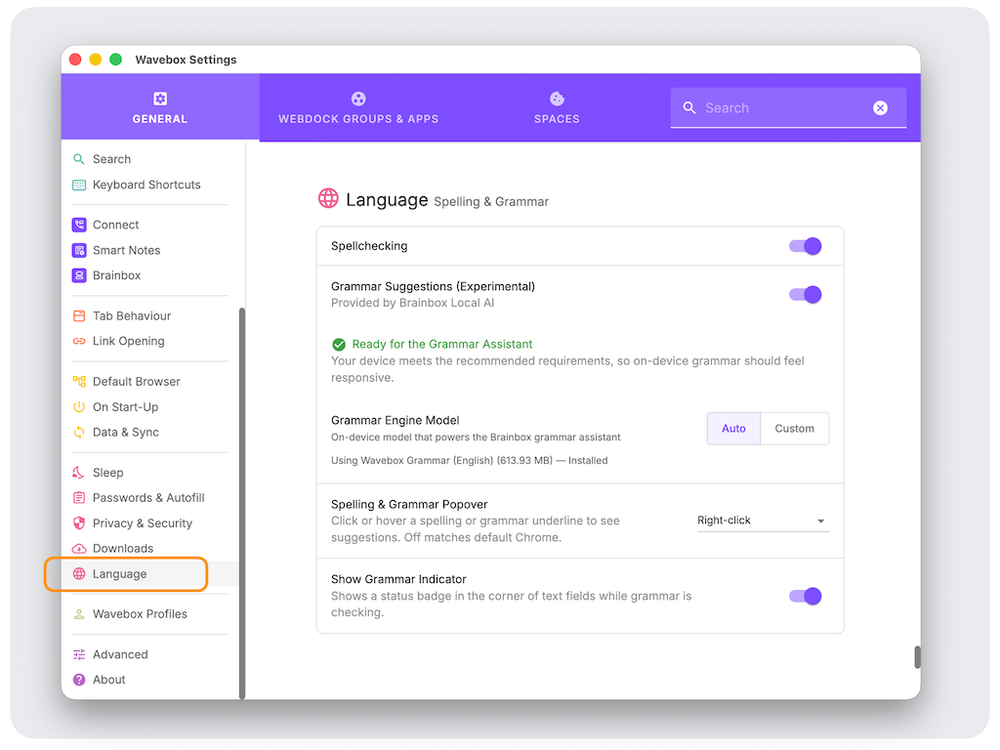
- Brainbox is Wavebox's AI layer: an assistant that reads the page or app you are working in to summarise, draft, translate and answer questions in context. In 2026 it added on-device Web AI, so text generation and proofreading can run locally without sending content to the cloud, plus a built-in grammar model. Wavebox also supports MCP, letting agents such as Claude control browser actions, and you can still bring your own ChatGPT, Claude or Gemini accounts as pinned apps.
- Integrations
- 10+ integrations
- Support
- Email and help centre
- Best for
- Agencies, consultants, founders and support teams who work across many web apps and multiple client or team accounts.
- Founded
- 2016
- Company size
- 11-50 employees
- Headquarters
- Shrewsbury, United Kingdom
- Brand
- Wavebox
What is Wavebox?
Wavebox is a Chromium browser rebuilt around web apps rather than tabs. Instead of a wall of look-alike tabs, your apps live in a Webdock down the side, grouped into Spaces for each client, project or role, with separate cookie containers so you can stay signed in to as many Google, Microsoft, Slack or WhatsApp accounts as you need.
Because it is Chromium underneath, every Chrome extension, password manager and enterprise policy still works. What you gain on top is structure: unified search across apps and tabs, notification badges that actually surface what matters, link routing that opens URLs in the right account, sleeping apps to claw back memory, and Brainbox, the built-in AI layer that now runs on-device as well as in the cloud.
The Slick Media verdict
The Slick Media Verdict: Wavebox is the strongest option we have tested for anyone running their working day inside 20 or more web apps, especially agencies and consultants juggling multiple client accounts. The Spaces and container model genuinely removes the sign-in shuffle, and Brainbox now stands up as a real AI layer rather than a bolted-on chat box. It is not for light browsers; if you keep five tabs open and one Google account, the structure will feel like overhead, and there is a learning curve in week one. Priced against the time it saves a busy operator, though, it pays back quickly.
Why choose Wavebox
Wavebox is not trying to be a faster Chrome; it is trying to be a workspace. Spaces and containers keep client, project and personal accounts fully separate, so there is no more signing in and out or juggling Chrome profiles. The Link Engine sends an incoming link to the account that should open it, dashboards and collections restore whole sets of tabs in one click, and sleeping apps keep memory in check when 40 apps are loaded.
The 2026 releases lean hard into AI. Brainbox works as an in-browser assistant that can read the page you are on, summarise, draft and answer in context, while the new on-device Web AI and grammar models handle text generation and proofreading locally without sending your content to the cloud. Wavebox also supports MCP, so agents such as Claude can drive the browser itself.
Key features
Webdock with Spaces and groups for apps
Cookie containers for unlimited signed-in accounts
Brainbox AI assistant with page context
On-device Web AI and grammar and proofreading models
MCP support so AI agents can drive the browser
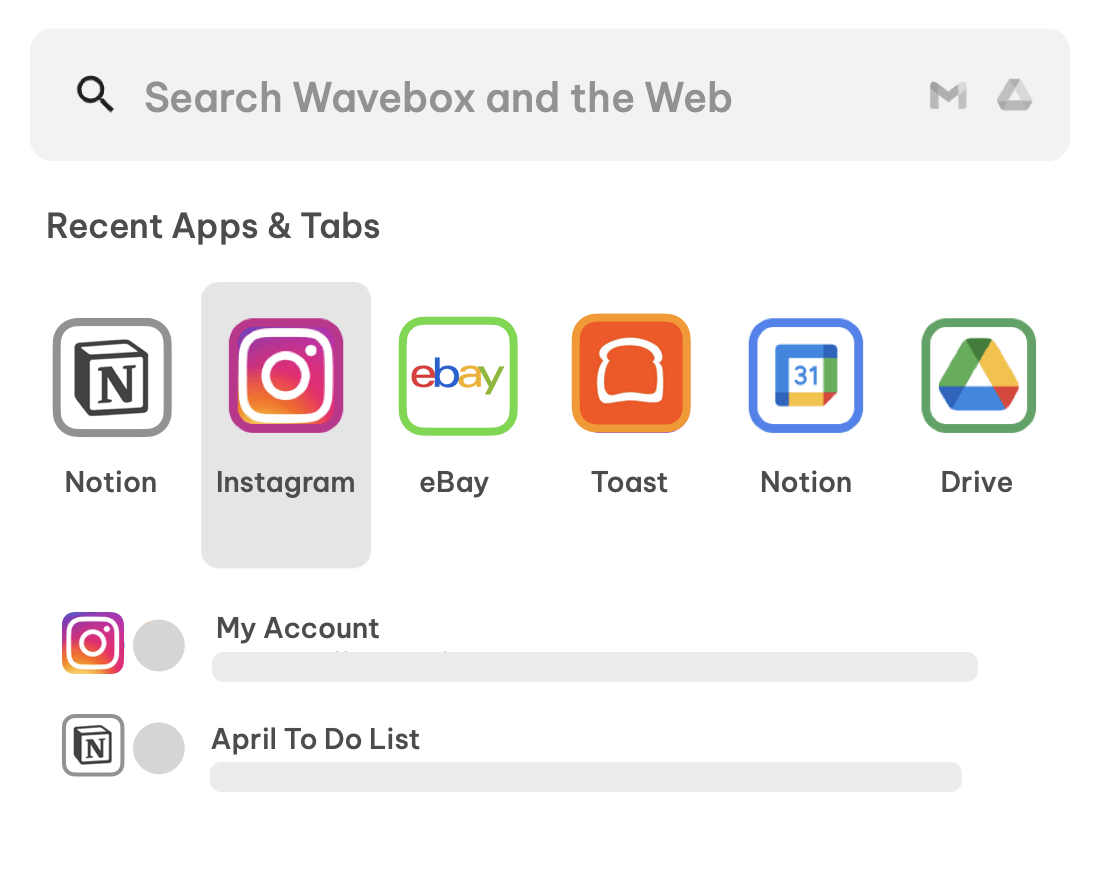
Unified search across apps, tabs, bookmarks and the web
Link Engine routing to the right app or account
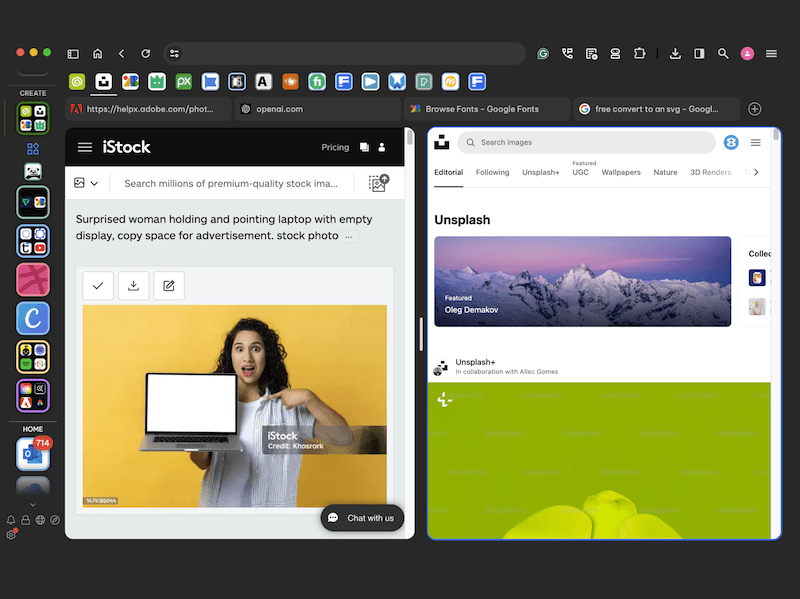
Split screen and tab tiling
Dashboards, collections and saved tab sessions
Notification badges and unread counts per app
Sleeping apps for lower memory use
Full Chrome extension and password manager support
Pricing
Wavebox is a paid subscription with a free trial and no card needed to start. Pro is around $99 per user per year, with Teams plans at roughly $150 per user per year adding shared configuration and team management. Monthly billing is available at a higher effective rate, and multi-year or volume pricing is offered for larger teams. Always confirm current pricing at checkout.
Best current saving: 35% off — see the offer
Wavebox offers & discount codes
Every live Wavebox deal we have, checked by Slick Media. Sign in to reveal codes.
Who Wavebox is for
Agencies, consultants, founders and support teams who work across many web apps and multiple client or team accounts.
- Running several Google Workspace or Microsoft 365 accounts side by side
- Keeping each client in its own Space with its own signed-in tools
- Consolidating Slack, Teams, WhatsApp and email into one dock
- Managing project tools such as ClickUp, Asana, Notion and Jira
- Routing shared links to the correct account automatically
- Cutting memory use when dozens of web apps stay open all day
Pros and cons
Pros
- Containers and Spaces end the constant signing in and out of accounts
- Brainbox brings genuinely useful AI into the browser, including on-device models
- Unified search and the Link Engine save a lot of small daily friction
- Chromium base means every Chrome extension still works
- Sleeping apps keep memory sane with dozens of apps loaded
Cons
- There is a real learning curve before the Webdock and Spaces click
- Overkill for light browsing with a handful of tabs
- No mobile app, so the setup does not follow you to a phone
- A paid subscription where most browsers are free
Screenshots and video
Wavebox integrations
- Google Workspace
- Microsoft Teams
- Slack
- ClickUp
- Trello
- Asana
- Xero
- Webflow
- Airtable
- Figma
Wavebox alternatives






Ratings and reviews
Features
Value for money
Design & usability
Ratings are set by the Slick Media editorial team. Member reviews are coming soon; save Wavebox to be notified when they open.
Wavebox FAQs
What are the pricing options for Wavebox?
Wavebox typically offers annual subscription plans, with different tiers potentially available depending on individual or team needs. Detailed pricing, including any promotional offers, can be found on their official website. There is currently a 35% discount on annual subscriptions.
Does Wavebox offer a free trial or a free plan?
Yes, Wavebox offers a free trial period, allowing new users to explore its features before committing to a subscription. This trial provides full access to the browser's capabilities, helping you decide if it suits your workflow.
Is Wavebox worth the investment for small businesses?
For businesses and professionals who frequently manage multiple web applications and accounts, Wavebox can significantly improve productivity and organization. Its ability to create distinct workspaces for different clients or projects can be particularly valuable, justifying the subscription cost through saved time and increased efficiency.
Are there any regional alternatives to Wavebox?
While Wavebox is a global product, there are no direct regional alternatives that offer the exact same combination of multi-app containerization and profile management. Other browser-based solutions or dedicated app integrators exist, but Wavebox's approach to consolidating and organizing web applications is fairly unique.
About Wavebox
Slick Media may earn a commission when you buy through links on this page. It never affects what we write or how we rate a product.