

Switcher Studio
33% off
Create multicamera Instagram Live broadcasts and go live on YouTube, Facebook, TikTok, X and more at once with Switcher Studio. Stream directly from your website, see Facebook and YouTube chat comments in one place, and add graphics, remote guests and instant replay using compatible devices you already own.
No code needed
The 33% off is applied automatically when you click through to Switcher Studio, nothing to copy or paste.
How to redeem
Click the link below for a fantastic 33% Switcher Studio discount on the Business Plan yearly subscription. The Switcher Studio Coupon Code is automatically applied.
Key terms at a glance
- Discount
- 33% off
- How it works
- No code needed
- Multicamera Instagram Live streaming
- Switcher Studio now includes Instagram in its multi-platform live-streaming workflow
- Produce an Instagram Live broadcast with multiple camera angles, branded graphics and remote guests, rather than relying on a single phone view
- Platform live-streaming eligibility and connection requirements still apply
- Go live on every platform at once
- Broadcast to YouTube, Facebook, Instagram, TikTok, X and more simultaneously
Summary only — see the full terms below.
More about this offer
Multicamera Instagram Live streaming
Switcher Studio now includes Instagram in its multi-platform live-streaming workflow. Produce an Instagram Live broadcast with multiple camera angles, branded graphics and remote guests, rather than relying on a single phone view. Platform live-streaming eligibility and connection requirements still apply.
Go live on every platform at once
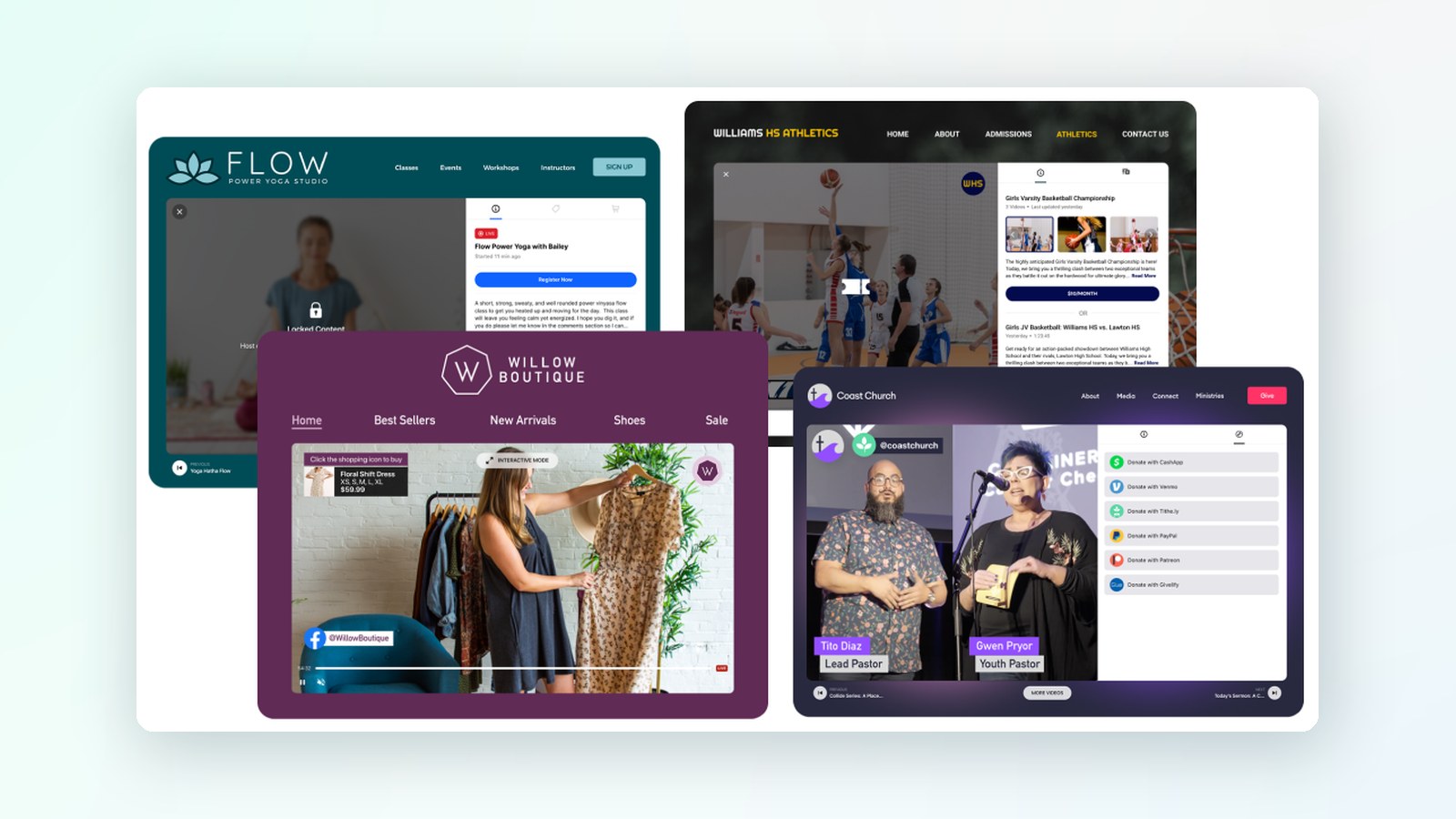
Broadcast to YouTube, Facebook, Instagram, TikTok, X and more simultaneously. Stream directly from your website with an embeddable player, so viewers can watch on your own site as well as on social platforms.
Facebook and YouTube comments in one place
See chat comments from Facebook and YouTube together while producing your broadcast. This combined view helps presenters follow audience questions across those two platforms without switching between separate comment feeds.
A multicamera studio using the gear you already have
Connect compatible iPhone, iPad, Mac, Android devices and cameras into one production, with up to nine different camera angles. Run the show from a single interface, switching angles and managing graphics and guests. Check device compatibility and the setup required for your chosen cameras before subscribing.
Graphics, media, guests and instant replay
Customise titles, overlays, slides, scoreboards and other graphics. Add prerecorded videos, music and sound effects, collaborate with up to five remote guests, and use Instant Replay to replay the last 10, 20 or 30 seconds of your stream. Switcher also includes a social clip creator for repurposing your content.
Website hosting and video monetisation
Embed live streams, recorded videos and playlists on your website without ads or related-video recommendations. Sell live-event tickets, pay-to-view videos, playlists and subscriptions. Explore Switcher Studio video monetisation through our existing partner link.
Who is Switcher Studio best for?
Switcher suits creators running Instagram Live sessions, businesses producing product demonstrations or webinars, churches broadcasting services, and sports teams covering games from multiple angles. A stable internet connection and compatible devices are important for reliable production and streaming.
Plans and trial
Paid subscriptions are available with monthly or annual billing, and Switcher offers a 14-day free trial. Features and usage limits vary by plan, so check the current plan comparison and platform connection requirements before choosing a subscription. See the offers on this page for Slick Media partner savings.
Full software profile
Switcher Studio
Features, pricing, ratings, alternatives and every other live Switcher Studio deal live on the software profile.
Explore Switcher Studio