
Parallels Desktop — 45% off Standard & Pro
45% off
Parallels Desktop 27 is here — a major graphics upgrade for professional Windows apps on Apple silicon Macs (OpenGL 4.3, up from 4.1), faster local AI performance on M4 and newer, and new DevOps capabilities. Celebrate the release with 45% off Standard and Pro Editions, or 35% off the Business Edition, on new 1-year subscription licences.
Coupon code required
Unlock your code below, then apply it at checkout on Parallels.
Watch Parallels in action
How to redeem
Release offer — Parallels Desktop 27
- 45% off Parallels Desktop Standard and Pro Editions — unlock your members-only code below
- 35% off Parallels Desktop Business Edition — unlock your members-only code below
- Applies to new 1-year subscription licences
New in v27: OpenGL 4.3 support for Windows VMs on Apple silicon (runs ArcGIS Pro, ZWCAD and more), faster local AI and ML workloads on M4+ Macs (Ollama, llama.cpp), and a new DevOps Service interface with Jenkins provisioning.
Unlock the code you need below, then apply it in the cart at checkout.
Key terms at a glance
- Discount
- 45% off
- How it works
- Coupon code
- Key Features of Parallels Desktop
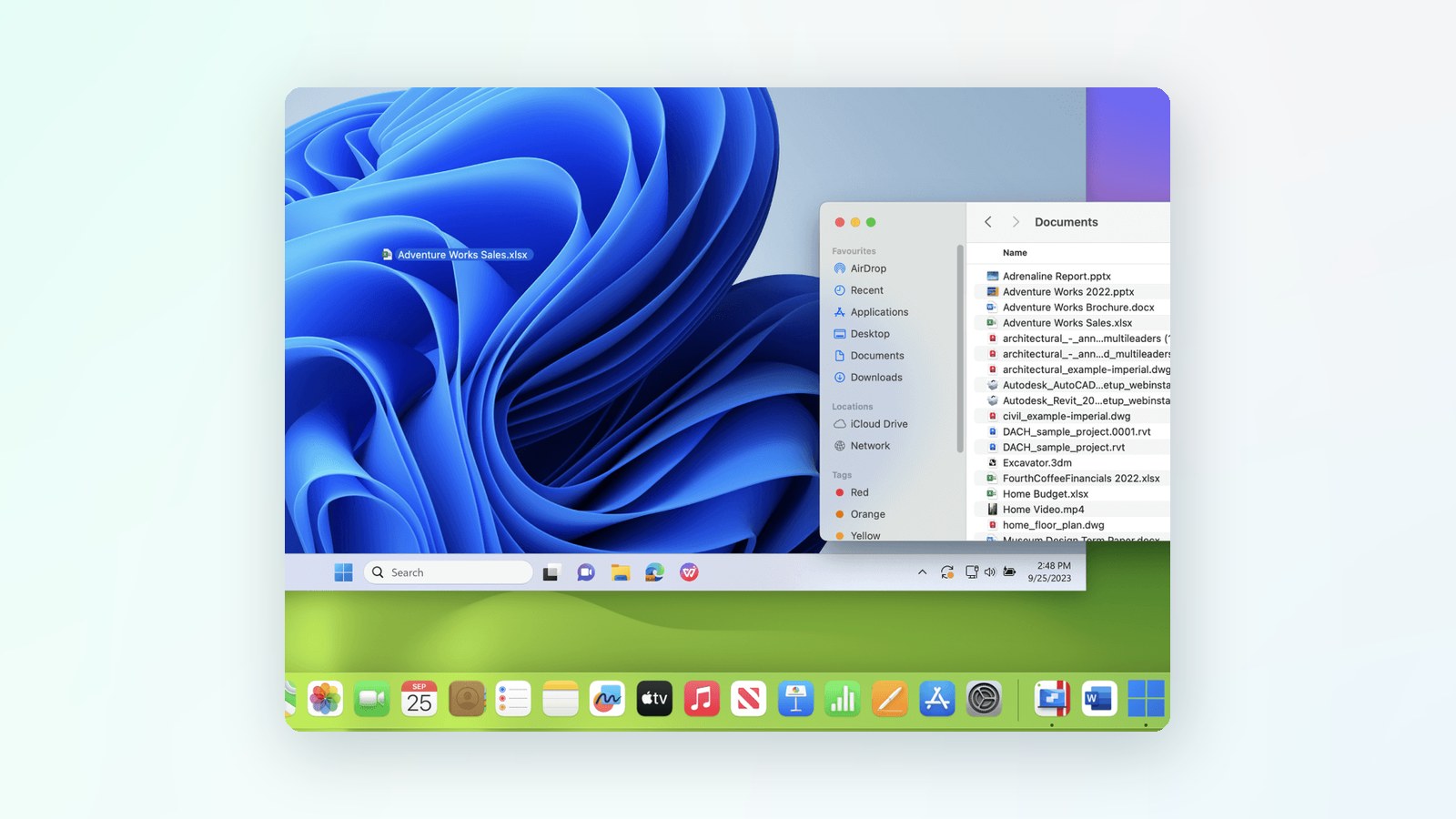
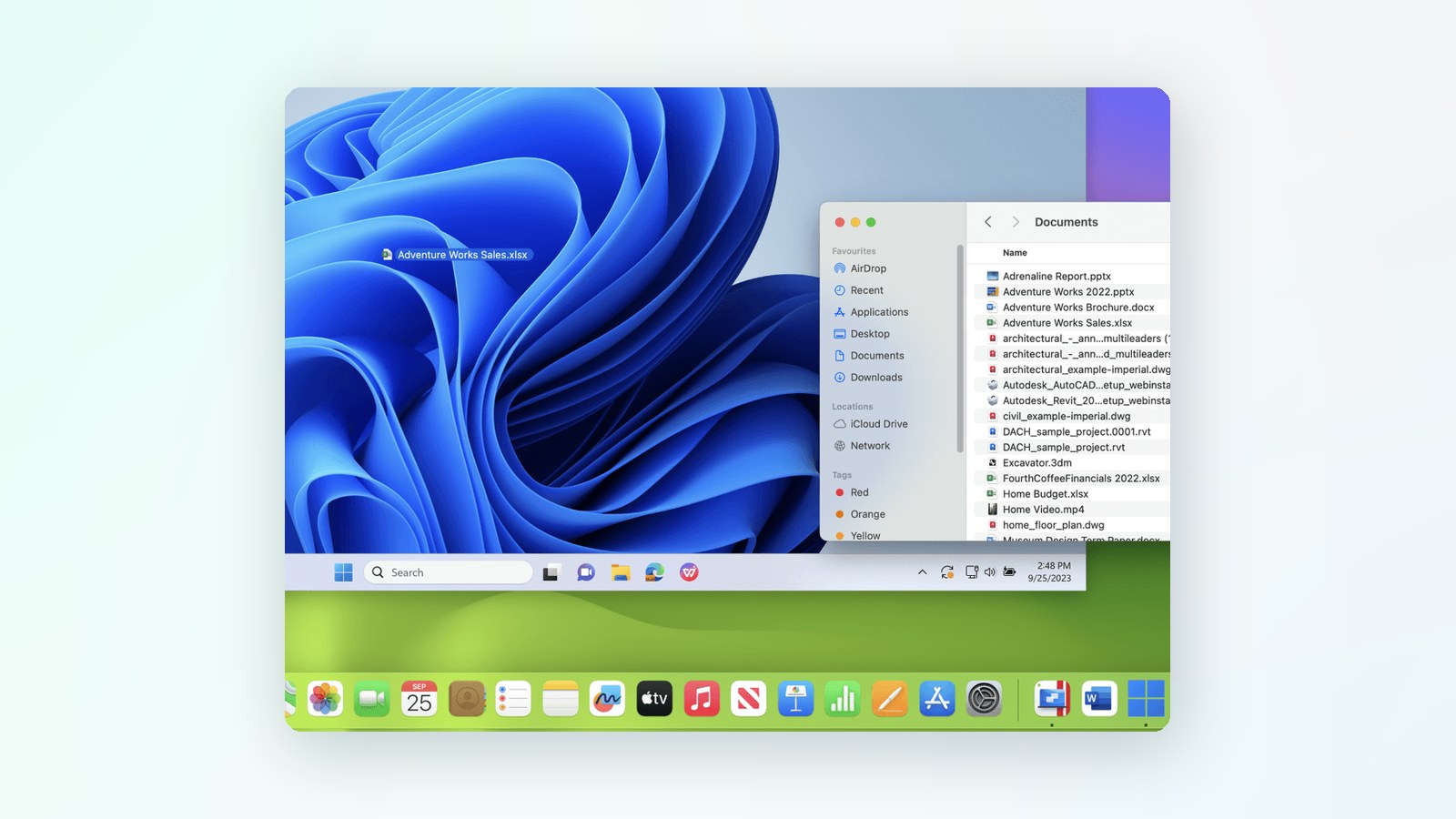
- Seamless Windows on Mac Integration – Parallels allows Windows applications to run alongside macOS applications
- The "Coherence Mode" even lets you hide the Windows interface, making Windows apps feel native on Mac
- Performance Optimisation – Designed to take full advantage of Mac hardware, Parallels delivers fast and responsive virtual machines, even for intensive gaming or software development tasks
- Apple Silicon (M1/M2/M3) Compatibility – Fully supports ARM versions of Windows on Apple's latest chipsets, ensuring smooth operation on the newest Mac devices
- Multiple OS Support – Beyond Windows, Parallels supports various Linux distributions and older macOS versions
Summary only — see the full terms below.
More about this offer
n Windows, Linux, and other operating systems seamlessly on macOS. It is particularly popular among Mac users who need access to Windows-exclusive applications without rebooting their system via Boot Camp.
Key Features of Parallels Desktop
- Seamless Windows on Mac Integration – Parallels allows Windows applications to run alongside macOS applications. The "Coherence Mode" even lets you hide the Windows interface, making Windows apps feel native on Mac.
- Performance Optimisation – Designed to take full advantage of Mac hardware, Parallels delivers fast and responsive virtual machines, even for intensive gaming or software development tasks.
- Apple Silicon (M1/M2/M3) Compatibility – Fully supports ARM versions of Windows on Apple's latest chipsets, ensuring smooth operation on the newest Mac devices.
- Multiple OS Support – Beyond Windows, Parallels supports various Linux distributions and older macOS versions.
- Drag-and-Drop Functionality – Users can quickly move files between macOS and Windows without hassle.
- Gaming Support – Parallels has improved its DirectX and OpenGL support while not explicitly designed for gaming, making many Windows games playable on Mac.
- Business & Developer Features – Pro and Business Editions offer advanced networking, debugging, and automation tools, making them an excellent choice for IT professionals.
Who is Parallels For?
- Mac users that need Windows applications (business software, finance tools, gaming).
- Developers and IT professionals who need to test apps across different operating systems.
- Students and professionals who want flexibility in using macOS and Windows without dual-booting.
Cost-Savings of Using Parallels vs. Buying an Additional PC
One of the most significant advantages of Parallels Desktop is its potential cost savings compared to purchasing a separate Windows PC. Here's how it can save money:
1. Eliminating the Need for a Separate Windows Machine
- Depending on the specifications, a mid-range Windows laptop or desktop can cost anywhere from $600–$1,900 (£500–£1,500).
- Parallels Desktop starts at $99.99/£89.99 per year for the Standard Edition (or a one-time payment of $129.99/£104.99 for the perpetual license of Parallels 19).
- Depending on the edition, a Windows 11 license costs approximately $140–$250 (£120–£220).
- Even when factoring in the cost of Parallels and Windows, this is still far cheaper than buying an entirely new PC.
2. No Extra Hardware Costs
- A second PC means extra peripherals (monitor, keyboard, mouse) if it's a desktop.
- It also means extra maintenance and potential repair costs over time.
- Parallels lets you use your existing Mac hardware, so investing in another machine is unnecessary.
3. Space & Energy Savings
- Running a Windows PC alongside a Mac takes up desk space, whereas Parallels runs Windows within macOS.
- A separate PC also consumes additional power, adding to electricity costs.
- If you're on the go, you avoid carrying an extra laptop by keeping everything on your Mac.
4. Lower IT and Software Costs
- IT teams and businesses benefit from reduced device management and licensing costs.
- Running them through Parallels can be cheaper than maintaining two computers if you only need Windows for specific applications (like Microsoft Office, AutoCAD, or finance software).
5. Faster Workflows = Time Savings
- Switching between macOS and a separate Windows PC can slow down productivity.
- With Parallels' Coherence Mode, Windows apps run alongside Mac apps, eliminating the need to switch between devices.
- Improved workflow saves valuable time, which translates to increased productivity and potential financial benefits.
Conclusion
Parallels Desktop is a leading solution for running Windows on a Mac, offering speed, ease of use, and deep integration with macOS. If you need Windows applications without the hassle of rebooting or maintaining a separate PC, it's a solid investment—especially if you're using an Apple Silicon Mac.
Beyond the convenience, the cost savings are significant. Instead of purchasing and maintaining a separate Windows machine, you can achieve the same functionality at a fraction of the cost—while saving desk space, energy, and time switching between devices.
Full software profile
Parallels
Features, pricing, ratings, alternatives and every other live Parallels deal live on the software profile.
Explore Parallels